How to Play Balance It Game
Move the pivot under the shape, lock in your guess, and score up to 100 points for each of 5 shapes — 500 in a perfect round.
The 30-second version
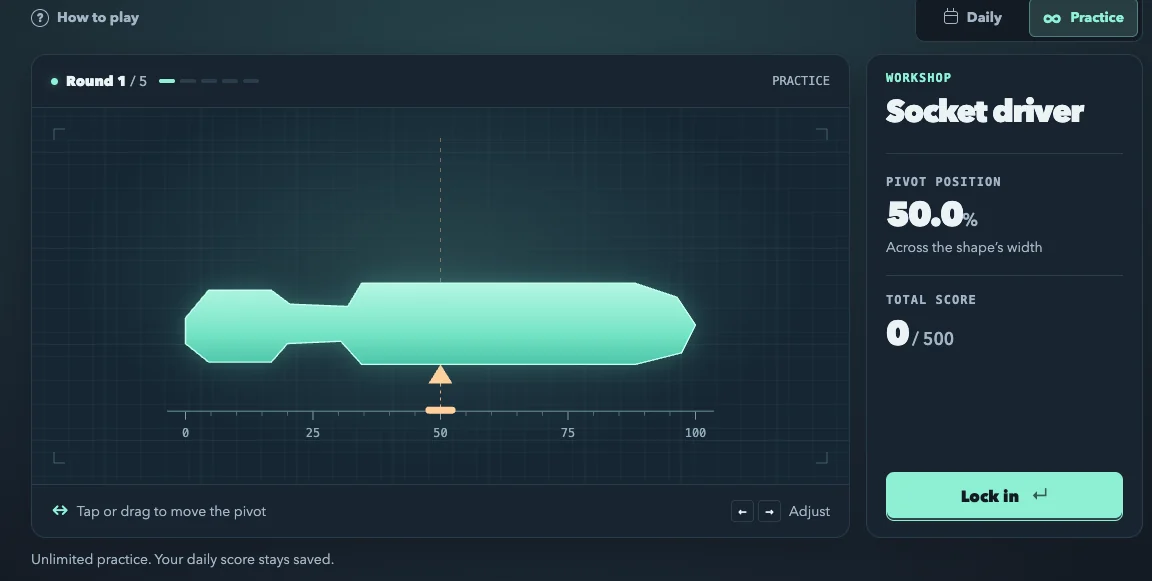
- Look at the silhouette and decide where its weight really sits.
- Tap, click or drag the gold pivot under that spot. Use ← and → for small nudges.
- Press Lock in (or Enter). The shape settles, wobbles or tips — that tells you how close you were.
Repeat for five shapes, then read the recap. When you have finished, go back to the board or switch to Practice for more rounds.
Controls
| Device | Move the pivot | Fine-tune | Submit |
|---|---|---|---|
| Mouse | Click or drag on the board | ← → arrow keys | Lock in button or Enter |
| Touch screen | Tap to place, drag sideways to move | Line it up against the 0–100 scale | Tap Lock in |
| Keyboard | ← → keys | Half-point steps while the pivot control has focus | Enter |
On a phone the score panel drops below the board and Lock in stretches across the screen, so you never need to zoom.
How scoring works
Under every shape is a scale from 0 to 100: 0 is the shape's left edge, 100 its right edge, 50 halfway across. Your score depends on how far your pivot lands from the true balance point, measured as a share of the shape's width.
| Your miss | Points | Status |
|---|---|---|
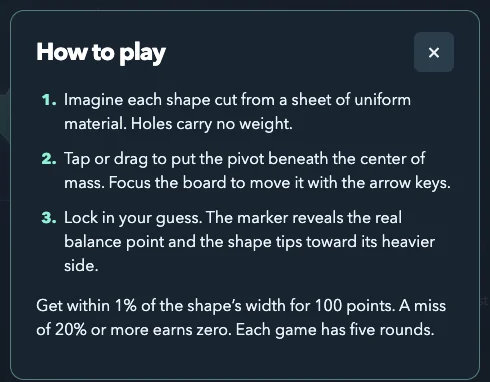
| Within 1% of the shape's width | 100 | official rule · 1 source |
| Between 1% and 20% | Somewhere from 100 down to 0 — the curve is not published | left blank |
| 20% or more | 0 | official rule · 1 source |
What counts as weight
Holes weigh nothing. The game treats each silhouette as one evenly thick sheet, so only filled area counts. Length adds leverage: a thin handle far from the head still drags the balance point toward it. On shapes with paired parts — scissor rings, a camera's lens and viewfinder — compare both sides before you trust the midpoint. Three checks for tricky shapes go deeper.
The shape families you will meet
Each shape carries a category label above its name on the board. These are the families and examples I could match to names shown in the game:
| Category | Example shapes |
|---|---|
| Workshop | Socket driver, Rubber mallet, Bench vise, Pipe wrench |
| Kitchen | Slotted turner, Citrus reamer, Pastry wheel |
| Home | Ironing board, Dustpan, Reading glasses |
| Garden | Bulb planter, Hand rake, Garden sprinkler |
| Outdoors | Hiking pole, Tent peg puller, Headlamp |
| Studio | Stapler, Viewfinder, Drafting T-square |
| Music | Musical triangle, Banjo, Tuning fork |
| Transport | Steam locomotive, Paper airplane, Kick scooter |
| Play | Ping-pong paddle, Bowling pin, Lacrosse stick |
Daily vs Practice
Daily gives everyone the same five shapes for the current UTC date, resetting at 00:00 UTC; once you finish, the recap stays until the next reset. Practice draws a random set of five distinct shapes, as often as you like, and keeps its score apart from the daily one. Daily progress is saved in your browser; a Practice round starts fresh when you reload. More on the daily cycle is on the daily puzzle page.